CloudFolderLab
How it works

Discover, design, migrate, train โ€” in writing.

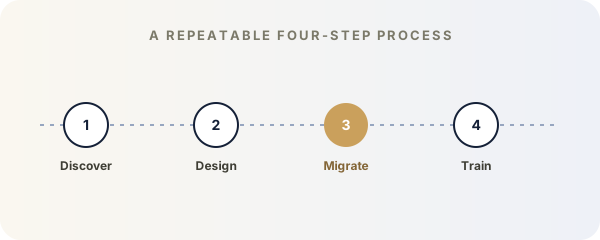
Every engagement follows the same four-step pattern. Each step has a written deliverable, so nothing in your engagement is invisible.

01

Discover

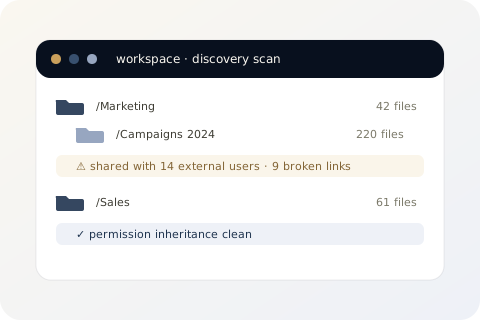
We map every folder, every share link, and every external collaborator across your existing clouds. We flag oversharing, broken inheritance, naming drift, and orphaned-owner folders. The deliverable is a 5โ€“10 page PDF that ranks issues by impact, not by file count.

  • Cross-cloud folder structure scan
  • External-share and link-permission audit
  • Naming consistency and depth-limit report
  • Plain-English summary
02

Design

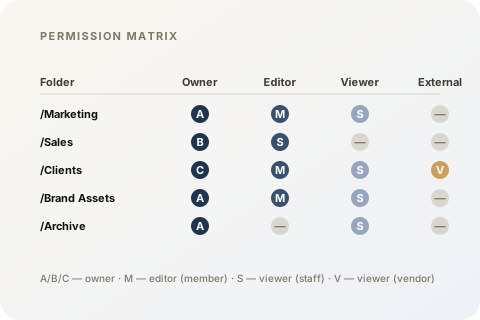
A folder taxonomy aware of your org chart. A naming convention that survives your next hire. A permission matrix delivered as a Google Sheet (or Excel) so you can keep it accurate over time. Sharing rules for clients, contractors, and vendors โ€” written down, not folkloric.

  • Folder taxonomy diagram (PDF)
  • Naming convention document
  • Permission matrix (Google Sheet / Excel)
  • External sharing playbook
03

Migrate

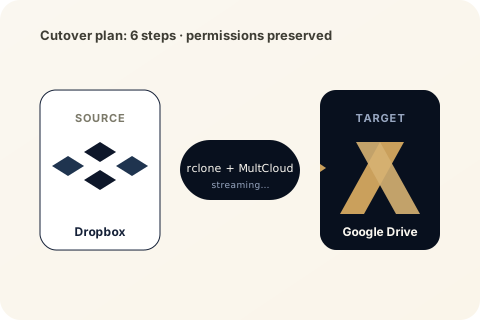
We rehearse the migration on a staging area until it boots cleanly twice in a row. Then we cut over at the agreed window with you in the order chat the entire time. We use rclone and MultCloud, preserve permissions where we can, and write down every exception. The migration log is delivered as CSV and PDF.

  • Staging dry-run
  • Live migration at the agreed window
  • Real-time order chat
  • Migration log (CSV + PDF)
04

Train

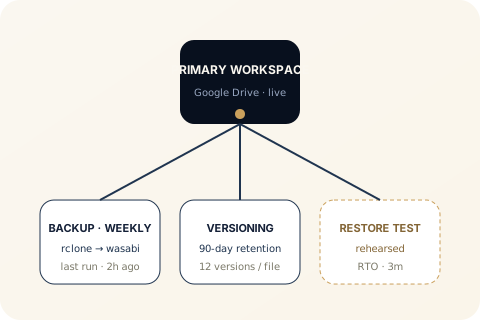
After cutover, we configure scheduled backups and versioning, then ship a Loom training video and a PDF guide your office manager can hand out. The order does not close until your team can actually use the workspace โ€” not just see it.

  • Backup + versioning configured
  • Loom training video
  • Team training guide (PDF)
  • Post-engagement support window

Have a workspace that needs sorting out?

Pick the plan that matches the work, or talk to us first if you are not sure.