





CloudFolderLab

Cloud storage & file sync setup

Cloud storage
your team can actually find.

We design folder taxonomies, configure sharing & access permissions, migrate existing files via rclone and MultCloud, and enable backup & versioning across Google Drive, Dropbox, and OneDrive โ€” then train your team with a Loom video and a PDF guide. One workspace, one source of truth.

24h
Audit turnaround
3
Clouds supported
0
Failed cutovers
30d
Money-back guarantee

Clouds we set up & migrate

Google Drive Dropbox OneDrive Google Workspace Microsoft 365 rclone MultCloud
The process

Discover. Design. Migrate. Train.

A four-step pattern we run on every engagement โ€” small or large. The smaller the project, the shorter each step. The pattern does not change.

01

Discover

Map every folder, every share link, every external collaborator. Flag oversharing, broken inheritance, and naming drift. Output: a written read of where you stand.

02

Design

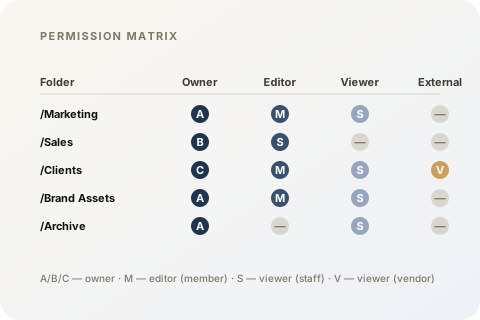
A folder taxonomy aware of your org chart. Naming conventions. A permission matrix as a Google Sheet you can keep. Sharing rules for clients, contractors, and vendors.

03

Migrate

rclone and MultCloud pipelines. Staging dry-run. Cutover at the agreed window. We sit in the order chat with you the whole time.

04

Train

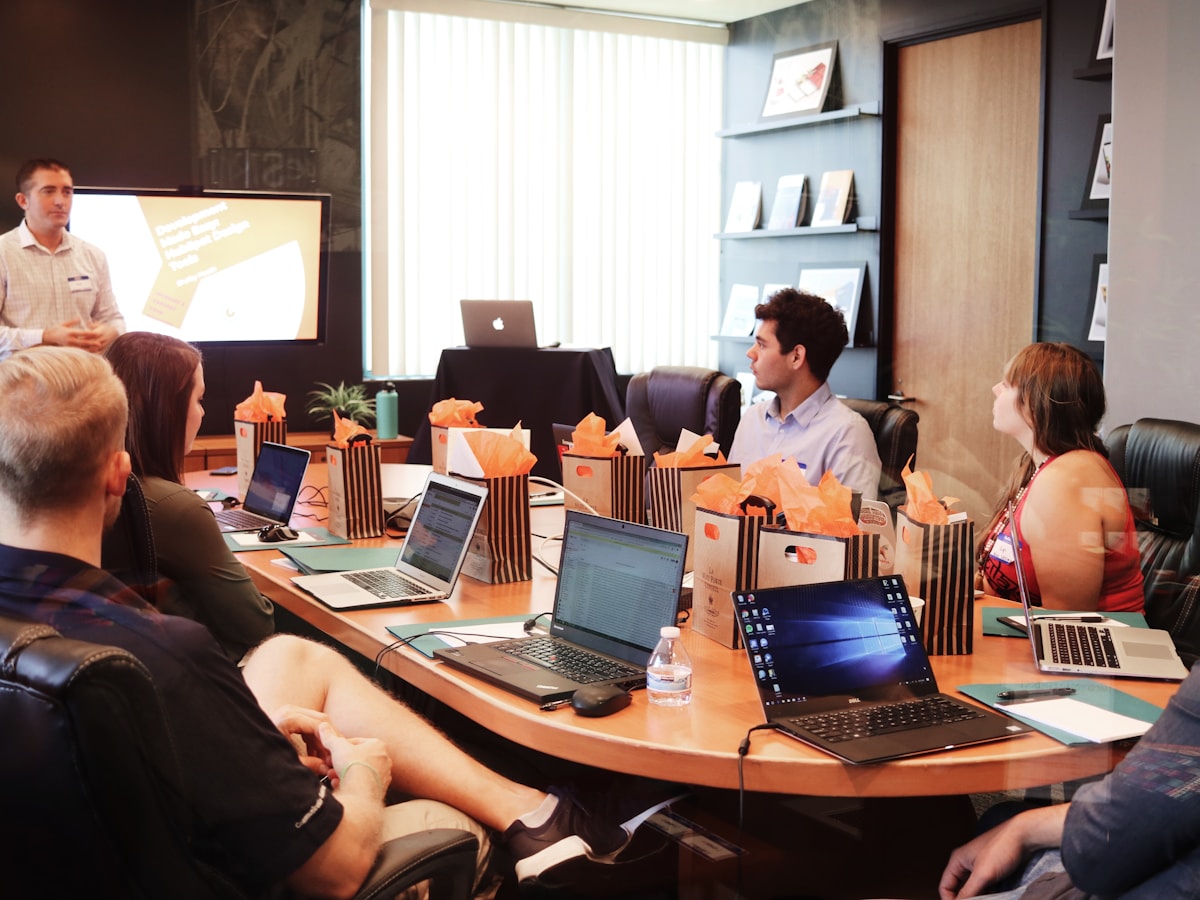
A team training Loom video plus a PDF guide your office manager can hand out. The migration log lives in your dashboard so anyone can verify what moved.

Pricing

Five tiers. One-time pricing. No subscriptions.

From a 24-hour single-cloud audit to a full cross-cloud migration with team training. Pick the smallest engagement that solves the problem.

30-day money-back Visa & Mastercard Compare all plans โ†’
01 ยท Tier

Pulse

Single-cloud check-up, 24-hour turnaround

$9.99 / engagement
  • Single cloud (Drive, Dropbox, or OneDrive)
  • Folder structure scan + naming consistency report
  • Permission outlier flag (over-sharing, broken inheritance)
  • 5โ€“10 page PDF report
  • 24-hour turnaround
  • 1 round of follow-up Q&A in your order chat
Start Audit

24hโ€“3d delivery

02 ยท Tier Most Popular

Foundation

Set up, migrate, and train a small team

$98.00 / engagement
  • Up to 15 team members
  • One target cloud (Drive, Dropbox, or OneDrive)
  • Workspace accounts created and invited
  • Folder taxonomy and permission matrix
  • Up to 50 GB migration via rclone
  • Backup and versioning enabled
  • + 2 more
Set Up My Workspace

5โ€“7 day delivery

03 ยท Tier Best Value

Atlas

Cross-cloud migration with two dry-runs

$119.00 / engagement
  • Up to 30 team members
  • Cross-cloud migration via MultCloud + rclone
  • Two staging dry-runs
  • Full workspace setup (Foundation tier included)
  • Permission matrix, backup, versioning
  • Two Loom training videos (admin + end-user)
  • + 2 more
Go Pro

7โ€“10 day delivery

Operating principles

Boring on purpose.

No cleverness for its own sake. The boring practices โ€” discover before you design, rehearse before you migrate, train before you walk away โ€” are what keep teams productive while you move them.

Discover before you design

No taxonomy is drawn before we have walked your existing folder tree.

Permissions in writing

Every engagement leaves a permission matrix anyone on your team can read.

Staging is non-negotiable

Every migration rehearses against a staging area until it boots cleanly twice.

Train, do not hand off

A Loom plus a PDF training guide. We are not done until your team can actually use it.

Permission matrix
Deliverables

What you get back.

  • Organised cloud workspace

    Workspace accounts created, taxonomy in place, sharing and access permissions configured.

  • Permission matrix

    A Google Sheet (or Excel) you can keep current โ€” one row per folder, one column per role.

  • Migration log

    CSV plus PDF โ€” exactly what moved, what was reshaped, and what was deliberately left behind.

  • Team training guide

    PDF plus a Loom video. Your office manager can hand it out on day one.

Ready when you are.

Pick a plan, share where your files live today, and we will be discovering inside the day. The only conversation we cannot have is the one that has not started yet.